 TableTidy
A native editor for macOS 13 and later
Make sense of
your tables.
Open CSV and XLSX values, check the import, and get your data into shape. Your documents stay on your Mac.
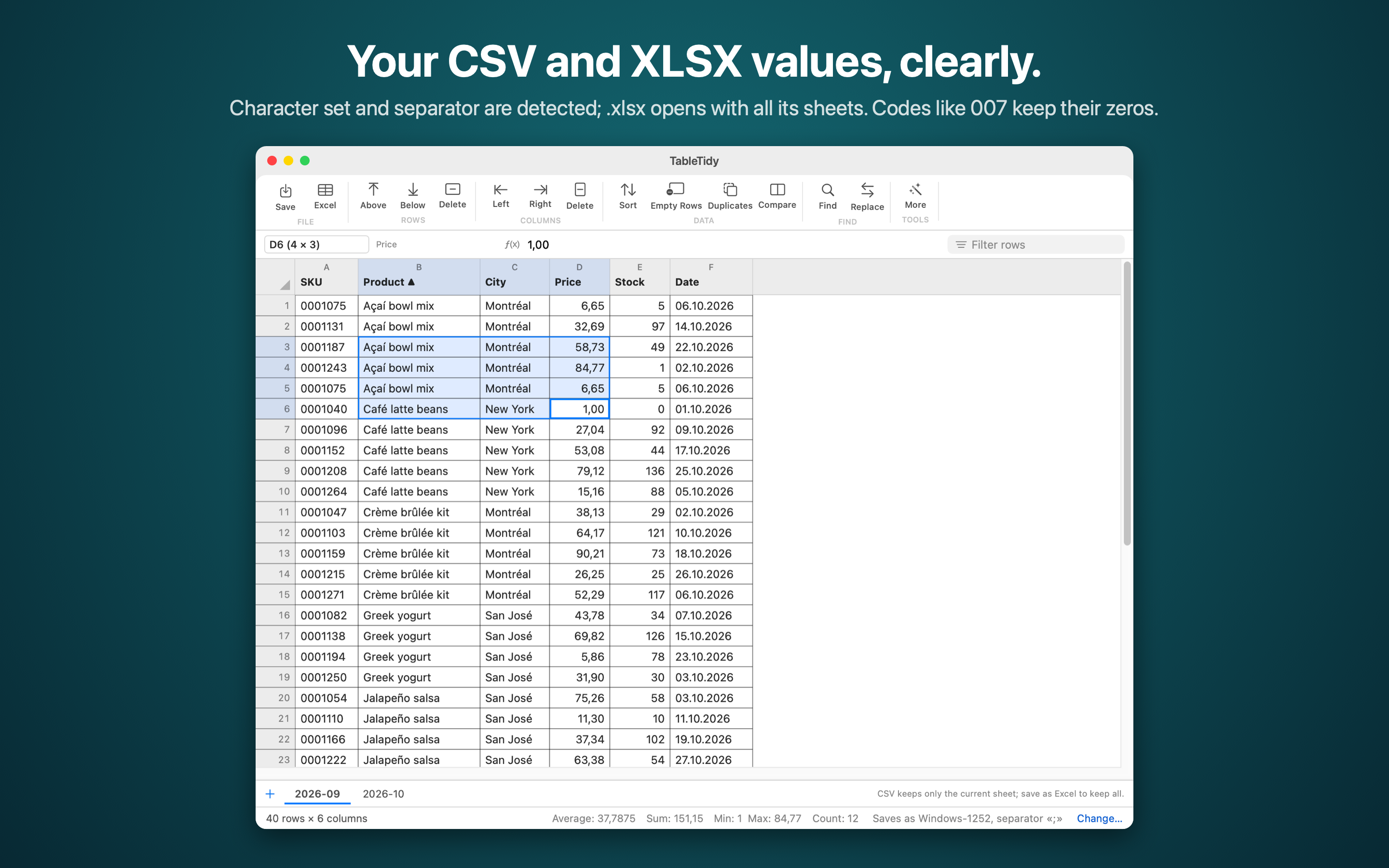
From the first import to the final export
Small controls. Useful differences.
Check before opening
Preview character encoding, separators, quotes and headers. Choose from 16 encodings, including UTF-8, UTF-16, Windows code pages and Shift_JIS.
Keep identifiers intact
Edit text values without turning CSV codes like 007 into 7. Copy cell ranges, find and replace, sort and undo changes.
See what changed
With Pro, compare sheets by a key column, row content or row number. Review highlights and a separate list of differences.
Stay on your Mac
No account, advertising or analytics SDK. The app processes files locally; Apple handles purchases and restores.
Free essentials. One-time upgrade.
A useful editor, with room to grow.
TableTidy
Free
- Open CSV, TSV and XLSX values
- Edit cells and manage sheets
- Find, replace, sort and filter
- Save the current sheet as CSV or TSV
- Undo and redo edits
TableTidy Pro
$4.99 USD, once
- Save all sheets as an XLSX workbook
- Compare sheets and highlight changes
- Remove duplicate rows
- Append files and split a table into parts
- Find and replace with regular expressions
Planned US base price. Local prices and taxes will be shown by the App Store. No subscription.
Made for values, not Excel formulas.
TableTidy imports cell values and saved formula results. It does not retain Excel formulas, formatting, charts or macros. Imported Excel originals are protected: save a copy with another name. CSV exports only the current sheet.
Supported input limits: CSV 128 MiB; XLSX 256 MiB compressed and expanded total, 128 MiB per archive entry; 5 million cells after padding empty cells. Password-protected and ZIP64 workbooks are unsupported. XLSX output also follows Excel cell length and supported XML size limits.
Support
Get a file looking right.
Characters look wrong after opening
Choose another character set in File → Change Import Options. Russian Windows exports often use Windows-1251; Western European exports often use Windows-1252. Check the preview before confirming.
Everything appears in one column
Choose the separator used by the source file: semicolon, tab, comma or another character. Multiple separators can be enabled.
Excel cannot read a saved CSV correctly
Use Save As and select the Excel (Windows) preset: UTF-8 with a byte order mark. If a target encoding cannot store a character, choose UTF-8 or edit the reported cell.
How do I keep multiple sheets?
CSV stores one sheet. Choose Save As → Excel workbook to keep all sheets as values (Pro). A single-sheet CSV export does not mark a changed multi-sheet document as saved.
How do I restore Pro on another Mac?
Use the same Apple Account that purchased Pro, then open TableTidy → Settings → Restore Purchase.
Need a hand? Email sergei.potenko@gmail.com. Include your macOS version and a short description; avoid sending sensitive files.